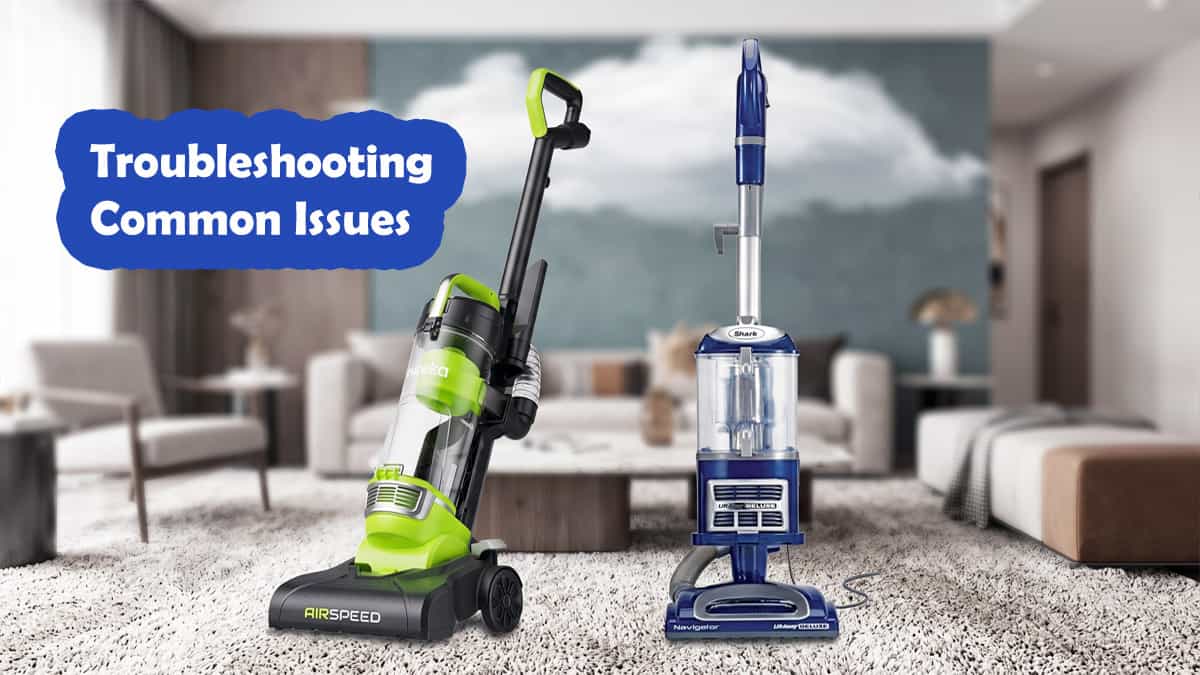
A vacuum cleaner usually works perfectly—until the day it suddenly stops picking up dirt, the brushroll quits spinning, or the motor shuts off mid-clean.
The good news? Many common Shark NV360 and Eureka NEU10AE4 problems stem from quick DIY checks: full dust cups, dirty filters, tangled hair, or airflow blockages.
Important Safety Notice: Turn the vacuum off and unplug it before inspecting blockages, brushrolls, or filters. Never operate either machine without its required filters and dust cup properly installed.
Still deciding which model to buy for your layout? Read our full Eureka NEU10AE4 vs Shark NV360 comparison review to see how they perform on carpets, hardwood, and stairs.
if you are switching from an upright model to a cordless stick due to motor issues, explore our Dyson V8 vs V10 vs V11 comparison guide to choose the right battery capacity.
Shark NV360 Navigator Lift-Away Deluxe: Troubleshooting Guide
The Shark NV360 uses a bagless upright frame, Lift-Away pod, motorized floor brush, and HEPA filtration. When performance drops, focus your checks on the airflow path, hose, nozzle, and brushroll.
1. Low Suction or Not Picking Up Dirt
- Why it happens: Full dust cup, dirty filters, or a blockage in the hose, wand, pod, handle, or nozzle.
- What to do:
- Unplug the vacuum and empty the dust cup.
- Inspect filters and rinse washable filters with cold water as directed.
- Allow filters to dry completely for 24 hours before reinstalling—never put damp filters back into the machine.
- Inspect the hose, wand, pod, and nozzle for blockages before testing again.
2. Brushroll Quit Spinning
- Why it happens: Incorrect handle angle/cleaning settings, or tangled debris jammed around the roller.
- What to do:
- Unplug the unit and tilt the handle back into normal operating position.
- Confirm the power switch is set to active brushroll mode.
- Carefully clear hair, thread, or string wrapped around the brushroll.
3. Vacuum Shuts Off Automatically
- Why it happens: The motor-protective thermostat tripped due to thermal overheating caused by restricted airflow.
- What to do:
- Unplug the vacuum immediately.
- Empty the dust cup, wash filters if needed, and clear all hose blockages.
- Leave unplugged to cool for at least 60 minutes before testing again.
4. Brushroll Indicator Light Status
- Solid Red Light: Indicates a brushroll jam or debris tangle. Unplug and clear the roller.
- Flashing Red Light: Indicates an overheated motorized floor nozzle. Unplug, clear blockages, and let the unit cool for 60 minutes.
5. Lifting or Sticking to Lightweight Rugs
- Why it happens: Strong suction pulling low-weight area rugs into the floor nozzle.
- What to do: Open the suction-release control valve located near the handle slightly to reduce air pull.
Eureka NEU10AE4 AirSpeed: Troubleshooting Guide
The Eureka NEU10AE4 relies on a lightweight frame, a 1.7-liter dust cup, and a washable foam filter. Troubleshooting primarily centers on airflow, thermal cut-offs, and belt assembly.
1. Suddenly Shuts Off Mid-Clean
- Why it happens: The thermal cut-off tripped due to a clogged filter, full dust cup, or blocked hose.
- What to do:
- Unplug the unit immediately.
- Empty the 1.7L dust cup and rinse the foam filter.
- Clear any debris jammed in the hose wand.
- Allow the vacuum to cool for at least 30 minutes before attempting a restart.
2. No Suction at the Hose Wand
- Why it happens: Loose hose fit, unseated dust canister, or debris blockage.
- What to do: Unplug the unit, check that the dust cup is seated firmly against the housing, inspect hose seals, and gently clear blockages using a blunt object.
3. Brushroll Is Not Turning
- Why it happens: Tangled hair/debris, or a snapped/stretched drive belt.
- What to do: Clear all tangled hair from the agitator brush. If the brushroll spins freely by hand while unplugged but fails to rotate during operation, inspect or replace the drive belt.
4. Hard to Push Across Surfaces
- Why it happens: Debris buildup around wheels/brushroll, or inaccurate height adjustment settings.
- What to do: Clear axle tangles and adjust the floor-height dial (if applicable to your sub-model) to fit higher pile carpet.
5. Burning Smell During Operation
- Why it happens: Friction from a jammed brushroll, overworked motor, or stretched belt.
- What to do: Unplug immediately. Clear hair from the brushroll and clean the filters. If smoke, melted plastic, or electrical odors persist, discontinue use and contact Eureka support.
Side-by-Side Troubleshooting Matrix
| Problem Area | Shark NV360 Check Points | Eureka NEU10AE4 Check Points |
| Low / Lost Suction | Dust cup → HEPA filter → Hose → Wand → Pod → Nozzle | Dust cup → Foam filter → Hose connection → Airway |
| Brushroll Failure | Check mode setting, handle angle & obstruction light | Clear hair tangles; inspect drive belt condition |
| Thermal Shutdown | Unplug, clear path, cool for 60 mins | Unplug, clear path, cool for 30 mins |
| Filter Care | Wash HEPA + Foam with cold water; dry 24 hours | Wash Foam filter; ensure completely dry |
| Rug Sticking | Adjust suction-release valve on handle | Single suction mode—lift edge slightly to break seal |
Preventative Maintenance Checklist
A simple routine prevents 90% of motor and suction issues:
- After Heavy Cleanings: Empty the dust container.
- Monthly: Wash reusable foam and HEPA filters; allow a full 24 hours to air dry.
- Every 3 Months: Inspect brushroll ends and cut away tangled hair or carpet fibers.
When to Stop DIY & Call Customer Support
Discontinue DIY troubleshooting and contact the manufacturer or an authorized technician if you encounter:
- Damaged, frayed, or exposed power cord wires.
- Visible smoke, melted plastic housing, or burning electrical odors.
- Persistent thermal shutdowns after clearing all blockages and filters.
- Unresponsive brushroll motors after removing debris and checking belts.
Published Content Ecosystem
This guide works as a companion piece to your main review article.
- Internal Link Anchor Text for Main Review:“Experiencing performance drops with your vacuum? Read our complete [Shark NV360 vs Eureka NEU10AE4 Troubleshooting Guide] for easy fixes.”
- Internal Link Anchor Text on this Article: *”Still deciding which model fits your home better? Check out our full [Eureka NEU10AE4 vs Shark NV360 Homeowner Comparison].” *
Related Articles
Tiles for Every Space – Explore Wall, Floor, Mosaic, Porcela…